01
Organize appointments
Register pet owners and patients, organize each professional’s schedule, and keep appointments and follow-ups connected.
Side project / Own product
Technology for
those who care.
A veterinary practice management platform connecting scheduling, medical records, patients, and finances. From the first appointment to an entire team’s daily work.
Visit Vet Office (opens in a new tab)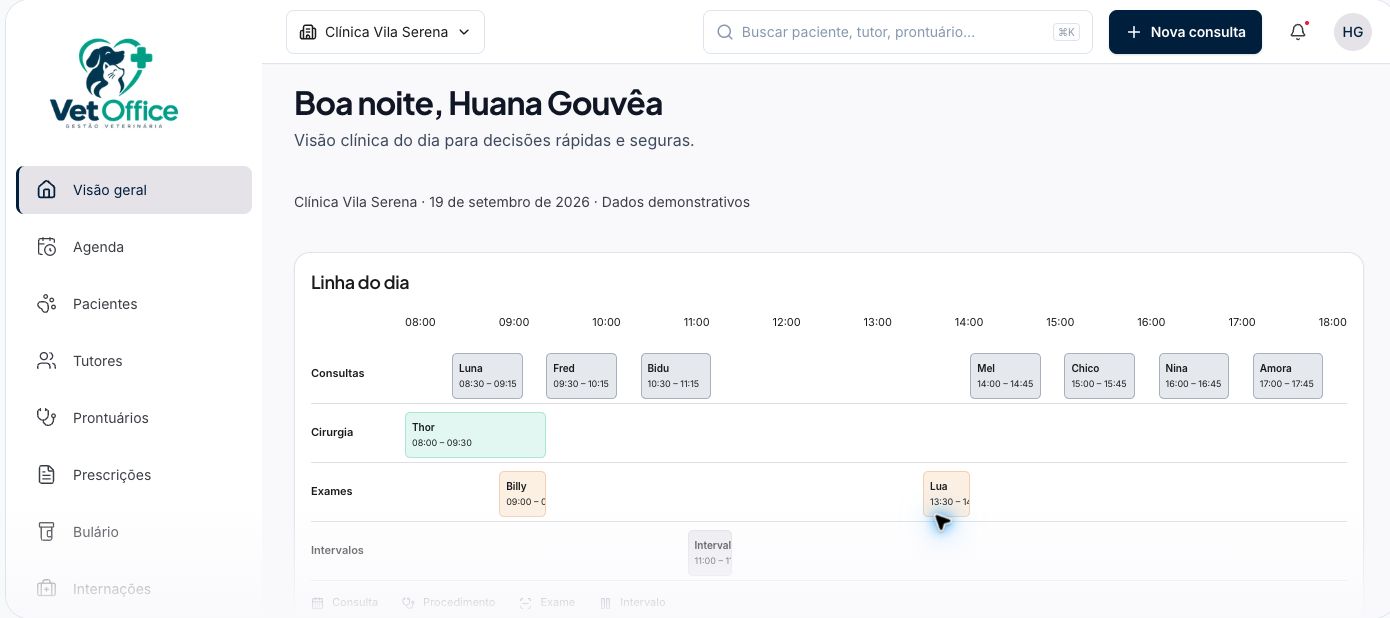
Product, development, and operations
SaaS · Animal health
Web · Responsive · Multi-clinic
01 / The product
A clinic needs to coordinate appointments, patient history, team communication, and management. When this information is scattered, following the care journey takes extra work.
Vet Office brings these workflows together in a browser-based application. Each animal has its own history, each clinic keeps its data separate, and every team member has an access role.
This is where I apply my platform engineering experience to building a product: from data modeling and the interface to testing, delivery, and operations.
02 / How it works
Register pet owners and patients, organize each professional’s schedule, and keep appointments and follow-ups connected.
Record consultations, progress notes, vaccinations, and prescriptions in each animal’s history. Hospitalization is also connected to the medical record.
Track the clinic’s finances, services, and reports. Each team member accesses features according to their role.
03 / Behind the product
Interface, data, delivery, and operations.
Each layer has its own responsibility.
A web application with routes, components, and rules organized by domain. Tailwind CSS and shadcn/ui provide the interface components.
Authentication and data storage with isolation between clinics and role-based access control.
Application builds and deployments, automated checks, and file storage.
Tests for business rules, browser journeys, and database policies, alongside instrumentation to investigate errors and monitor operations.
Isolation is part of the architecture. The clinic context and database access policies define what each user can read and change.
04 / Who it serves
For practitioners working alone or with reception staff who need to organize scheduling, registrations, and medical records in one place.
For teams sharing clinical workflows that need role-based access, continuity of patient history, and an overview of practice management.
For operations with inpatient care, larger teams, and access requirements for each location, with custom proposals.